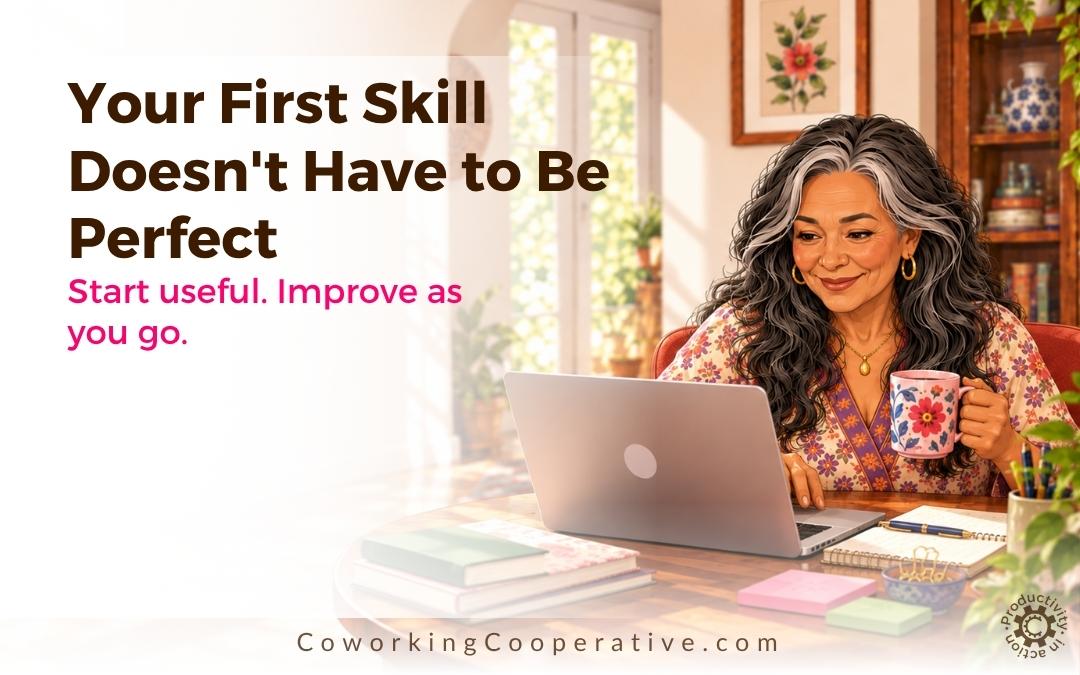
Start with a version that does one useful job. You can make it better once you’ve tried it.
You find a Custom GPT you don’t want to lose. You work out what makes it useful, and decide to create an independent Skill.
Then you start thinking about everything the new version ought to do.
It should ask all the right questions, use your business information, work on more than one AI platform, produce excellent results and perhaps even improve on the original.
Suddenly, what began as a sensible way to preserve something useful has become another large project.
You don’t need to build the finished version first. You need a first version you can actually use and test.
In a Nutshell
Your first Skill only needs to do a useful job well enough to test. Think of the process in three possible depths: Quick Convert, Refine and Deep Implementation. Start with a small independent version, improve the parts that matter through real use, and only invest in a more developed system when the value justifies the work.
A working first version teaches you more than an elaborate plan that never gets tested.
The first version has a smaller job than you think
Imagine you regularly use a GPT that helps you sort out a messy project. It asks what you’re trying to accomplish, helps separate essential tasks from interesting distractions, and gives you a manageable next step.
You might eventually want your Skill to know your whole business, connect to your planning system and produce a weekly action plan in your preferred format.
But the first version doesn’t need all of that.
It needs to help you take one messy project and leave with a sensible next step. That’s enough to find out whether you’ve preserved something useful.
If you’re not sure what to preserve, The Four Layers That Make a GPT Feel Genuinely Useful gives you a way to examine the function, workflow, judgement and distinctive method of the original.
Think in three depths, not one enormous conversion
I find it more useful to think about creating a Skill as a process with three depths. You don’t have to go through all three for every GPT.
1. Quick Convert: Get the useful job working
Quick Convert is your starting point. Identify the main job the GPT helps you do and create a simple, independent set of instructions for that job.
For our project-sorting example, that might mean telling your Skill to:
- Ask what the project is meant to accomplish.
- Find out what is already in progress and what is getting in the way.
- Help separate essential work from optional ideas.
- Suggest one realistic next action and check whether it fits.
Then try it on a familiar project.
You aren’t trying to preserve every feature or recreate the original creator’s private instructions. If the GPT belongs to someone else, work from your own permitted experience of using it, and check whether the creator offers an official replacement first.
The purpose of Quick Convert is simple: produce something you can test before spending hours improving it.
2. Refine: Make it feel more useful to you
Once you’ve tried the first version, you have something concrete to work with.
Perhaps your new Skill asks four questions at once, while the original helped you think by asking them one at a time. Or perhaps it suggests a next action before checking how much time you have available.
Those are useful observations, not reasons to start over.
You can refine the instructions so it asks one question at a time, checks your available time, or uses the language and format you prefer. Add your own business context where that would help. Test again with a representative task.
This is also where your version can become more useful to you than the original. As we explored in Keep What Works. Then Make It Work Better for You, preserving the value doesn’t mean keeping every part unchanged.
Make one meaningful adjustment, see what it changes, and continue from there.
3. Deep Implementation: Build the version that earns a permanent place
Some Skills will be useful occasionally. A small, clear version may be all they ever need.
Others become part of the way you run your business. When a Skill is doing important work repeatedly, a deeper implementation may be worthwhile.
That could include organising the supporting files you own, connecting it to a maintained business context, documenting its inputs and outputs, testing it across the AI platforms you intend to use, or making the process easier to update.
Those decisions take more effort. Make them because the Skill has proved its value, not because every first version is supposed to become a complete system.
Here’s what the three depths might look like
Let’s stay with the project-sorting example.
Quick Convert: The Skill asks a few useful questions and helps you choose the next action.
Refine: It learns your preferred planning rhythm, avoids giving you an overwhelming list, and checks what you can realistically do today.
Deep Implementation: It draws on the business context and planning resources you maintain, follows a documented process and can be tested when you move between supported AI platforms.
Each depth adds something. None makes the earlier version a failure.
How do you know when your first Skill is ready?
Don’t judge it by whether it looks impressive. Give it a real task and ask a few practical questions:
- Did it help with the main job I wanted to preserve?
- Did it ask for information that mattered instead of inventing missing details?
- Was the result useful enough for me to take a next step?
- Can I identify one improvement to make after this test?
If the answer to the first or third question is no, adjust the essential instructions and try again. If it works but feels awkward, you have a candidate for Refine.
You don’t need identical answers from the GPT and the Skill. You want to know whether the important support has carried over.
If the original GPT is still accessible, use the same starting task in both and compare the experience. What to Do Before the Custom GPT You Paid For Disappears explains why doing that while you still have access is valuable.
A small first version also makes the next decision easier
Sometimes a test reveals that the feature you thought was essential hardly matters. Sometimes it reveals that a tiny question the original GPT asked was the reason it worked so well.
You can only learn those things by using the new version.
And you may discover that one Skill is worth developing deeply, while three others only need a straightforward conversion. That is a much more manageable project than deciding every GPT in your collection needs the same treatment.
Try this with one GPT
Choose a GPT you genuinely use. Write one sentence beginning:
“I use this GPT to help me…”
Finish that sentence with the job, not a list of features.
Next, write down three or four behaviours you would miss. Build a small independent Skill around those observations, using only material you own or are permitted to use.
Give it one familiar task. Keep the result and write down the first thing you’d improve.
You now have a working starting point and a clear reason for the next change.
Want help creating that first version?
In the GPT to Skills Workshop, we’ll work with a Custom GPT you value and begin turning its useful behaviour into an independent, portable Skill.
You don’t need to arrive with a perfect plan or convert your whole collection. Bring one GPT you don’t want to lose. We’ll focus on getting a useful version started, then look at how to test and improve it.
Keep it. Improve it. Take it with you.
Find out more about the GPT to Skills Workshop
I Have Questions
Do I have to use all three depths?
No. Quick Convert may be enough for a Skill you only use now and then. Refine and Deep Implementation are options when you have a reason to develop it further.
What if my first Skill produces a worse result than the original GPT?
That’s useful test information. Look at what was missing: an important question, a step in the workflow, a decision rule or some context you can legitimately provide. Improve that part and test again.
Can I do this with a GPT someone else created?
You can develop your own independent approach from normal, permitted use. Don’t try to extract hidden instructions or copy protected reference material. Check the creator’s replacement options and applicable terms first.
What if I created the original GPT myself?
You can generally start with the instructions and supporting materials you own, which may make the first conversion easier. Testing and refinement still matter.
Will a Quick Convert Skill automatically work the same way on every AI platform?
Not necessarily. Different platforms may handle instructions and supporting files differently. If portability matters to you, test it in each platform you plan to use.
Explore the GPT to Skills Series
This article is part of a series about keeping the value of your favourite Custom GPTs and turning that value into more flexible Skills.
Explore the full series below.
1. The Custom GPT You Built Your business Around What is important even if you don’t know why.
2. Can You Turn a Custom GPT into a Skill? Yes, but Start Here Find out what you can preserve and where to begin.
3. Same Task, Different Value Understand why two GPTs doing the same job can feel very different.
4. Keep What Works. Then Make It Work Better for You Make the useful parts fit your own business.
5. The Four Layers That Make a GPT Feel Genuinely Useful Identify what makes your favourite GPT worth preserving.
6. What to Do Before the Custom GPT You Paid For Disappears Take practical steps while you still have access.
7. Your First Skill Doesn’t Have to Be Perfect Start with something useful and improve it as you go.
8. Bring One GPT You Don’t Want to Lose Choose which GPT is worth preserving first and get ready to turn it into a Skill.
Your GPTs contain work worth keeping
Join me for the GPT to Skills workshop and learn how to take the value you’ve built into your Custom GPTs and turn it into something you can use beyond the original GPT.
